Price Oracle Configuration
When trading Taproot Assets (such as USDTL ) through ThunderHub and RailsX , your litd node performs safety checks on returned asset prices during asset swap negotiations to see whether the quoted prices are within an acceptable margin. These checks rely on a price oracle — an external service that provides exchange rate information for Taproot Assets.
Your node must be configured with a price oracle that knows about the assets you want to trade. Without this, the node will reject trades because it cannot verify that the pricing is reasonable.
Amboss Price Oracle (Recommended)
The Amboss price oracle knows about all assets available for trading in ThunderHub and RailsX.
Self-hosted litd
Add the following to your lit.conf:
Mainnet:
taproot-assets.experimental.rfq.priceoracleaddress=rfqrpc://price-oracle.amboss.tech:443Testnet / Mutinynet:
taproot-assets.experimental.rfq.priceoracleaddress=rfqrpc://price-oracle-dev.amboss.tech:443Voltage Node
On Voltage, you can configure the price oracle directly from the dashboard — no need to edit lit.conf manually.
- Open your node on the Voltage dashboard .
- Go to Node Settings.
- Paste the price oracle URL for your network:
- Mainnet:
rfqrpc://price-oracle.amboss.tech:443 - Mutinynet:
rfqrpc://price-oracle-dev.amboss.tech:443
- Mainnet:
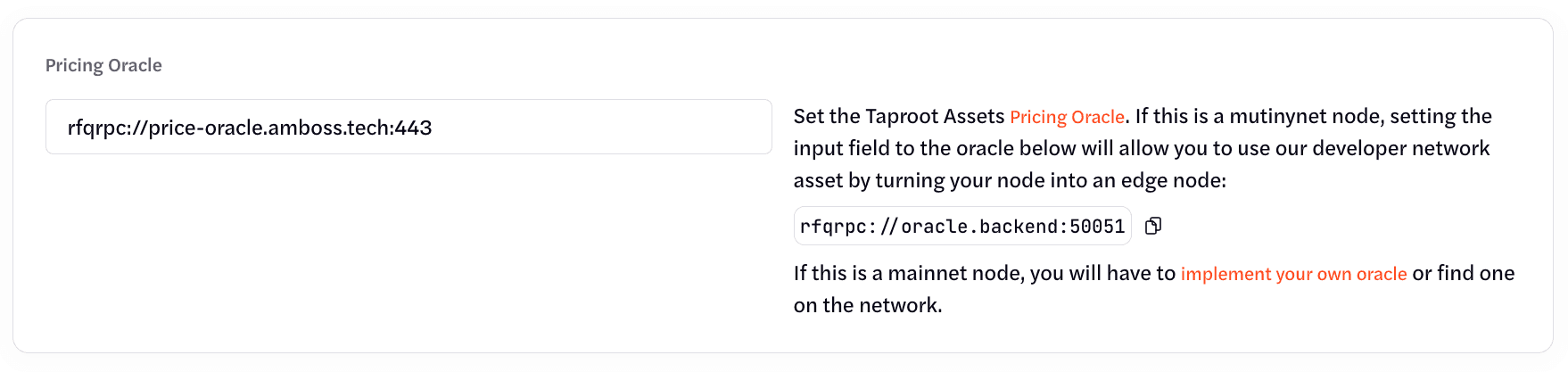
The Amboss price oracle is kept in sync with all assets supported for trading on ThunderHub and RailsX. This is the simplest path to get started.
Disable Price Checks
If you prefer to not use a price oracle, you can instead opt to disable the price quote safety checks. This does however mean that your node will automatically accept whatever swap price the counterparty node returns. To disable price checks, add the following to your lit.conf:
Tapd v0.7.2 and earlier:
taproot-assets.experimental.rfq.skipacceptquotepricecheck=trueTapd v0.8.0 and later:
taproot-assets.experimental.rfq.skipquoteacceptverify=trueDisabling safety margin checks means your node will accept trades without verifying that the asset pricing is reasonable. Only do this if you understand the risks and are comfortable with the trade-offs.
You can learn more about TA RFQs here: TA RFQs Documentation .
Third-Party Price Oracle
You can point your node to any price oracle that implements the PriceOracle RPC interface and knows about the assets you want to trade:
taproot-assets.experimental.rfq.priceoracleaddress=rfqrpc://your-oracle-host:portThe oracle must know about every asset you intend to trade. If it does not recognize an asset, trades involving that asset will fail.
Restart litd
After updating lit.conf, restart litd for the changes to take effect:
sudo systemctl restart litdVerify
Check the litd logs to confirm the price oracle is connected:
journalctl -u litd -f | grep -i "price oracle"